Managing Jobs
To either view the status of all public jobs on the HPC or create your own job, you can navigate to the Jobs tab at the top header of OOD.
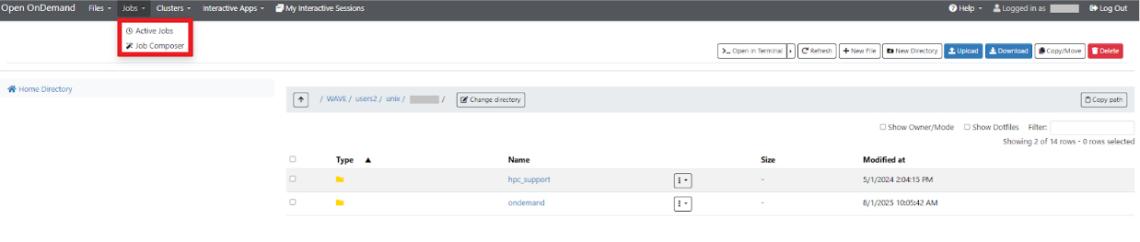
Active Jobs
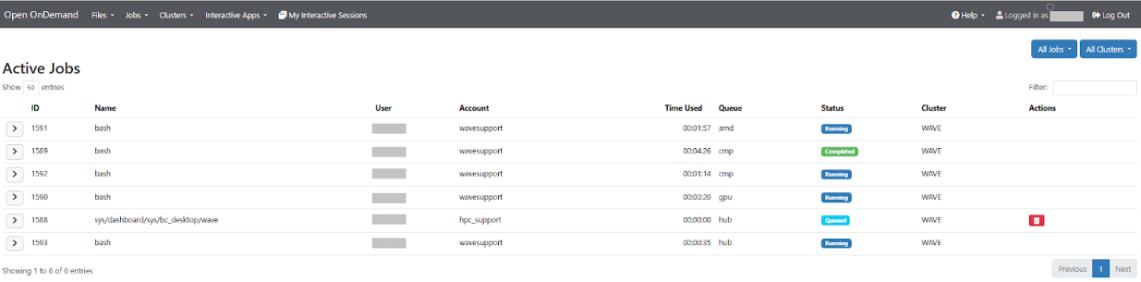
The Active Jobs section displays your currently running, queued, or recently completed jobs on the HPC cluster. Here, you can:
- See job IDs, status (running, pending, completed), and resource usage.
- Check which nodes are running your jobs.
- Monitor progress without logging into the cluster manually.
Job Composer

The Job Composer offers an interactive way to create, manage, and submit SLURM batch scripts.
- You can build job scripts through a form-based interface without having to write all commands manually.
- Templates can be reused for recurring jobs.
- You can select resources (nodes, CPUs, GPUs, memory, wall time) through dropdown menus.
For more details on SLURM script structure, submission methods, and other types of resources you can request, see the SLURM Info Page.