New OptiPlex Tower
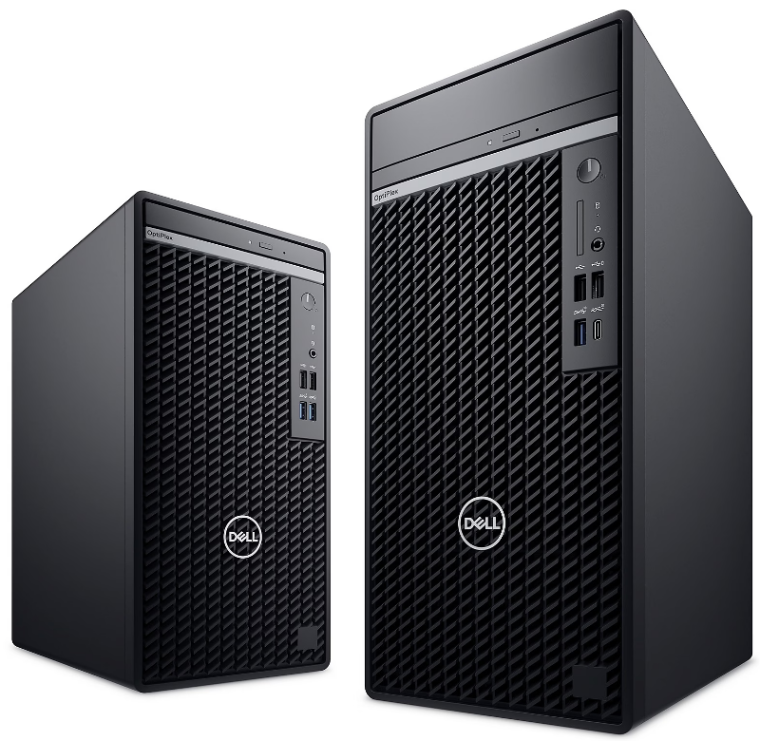
This model has 1 x DisplayPort and 1 x HDMI connector. If you want to use a second Dell display with this model, you will need to purchase an HDMI cable.
- 1 x DisplayPort - supports up to 4096 x 2304 @ 60 Hz
- 1 x HDMI - supports up to 1920 x 1200 @ 60 Hz
| Department Cost | No Cost |
| Processor |
Intel Core i5-13500 Processor 6 performance cores, 8 efficient cores 2.5 GHz to 4.8 GHz |
| Memory | 16 GB (1 of 4 slots filled) |
| Storage | 256 GB Solid State Drive |
| Graphics |
Intel Integrated Graphics 1 x DisplayPort 1 x HDMI |
| Power |
180W Bronze Power Supply |
| Display |
Dell 22" P2223HC Display (1920 x 1080) |
| Keyboard |
Dell KB216 Wired Keyboard (Black) |
| Mouse |
Dell MS116 Wired Mouse (Black) |
| Speaker |
Dell Monitor Slim SoundBar SB522A |
| Warranty |
4 Years ProSupport |
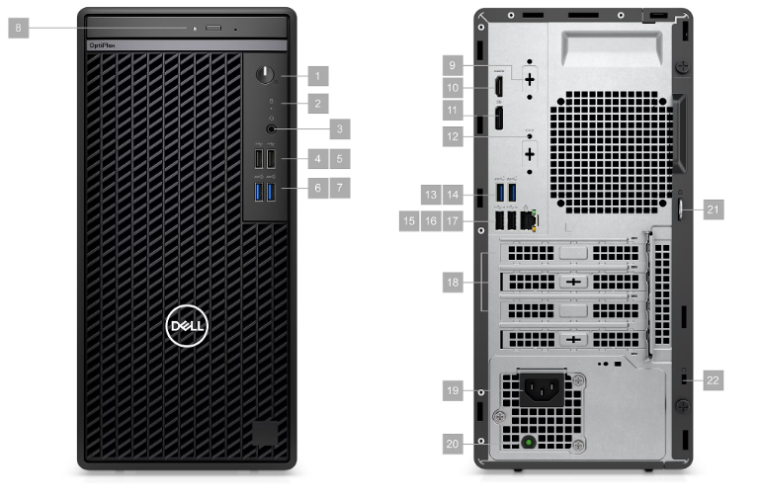
| Front | Back |
|---|---|
| 1. Power Button | 11. DisplayPort 1.4a, up to 4096 x 2304 @ 60 Hz |
| 2. Hard-disk drive activity light | 12. Option not available on SCU systems |
| 3. Universal Audio Jack | 13. USB 3.2 Gen 1 |
| 4. USB 2.0 | 14. USB 3.2 Gen 1 |
| 5. USB 2.0 | 15. USB 2.0 with SmartPower On |
| 6. USB 3.2 Gen 1 | 16. USB 2.0 with SmartPower On |
| 7. USB 3.2 Gen 1 | 17. RJ-45 Ethernet |
| 8. Option not available on SCU systems | 18. Three Expansion Card Slots |
| 9. Option not available on SCU systems | 19. Power Cord Connector |
| 10. HDMI 1.4b, up to 1920 x 1200 @ 60 Hz | 20. Power Supply Diagnostic Light |
| 21. Padlock Ring | |
| 22. Security-cable slot | |
- Width - 6.1 inches
- Depth - 11.5 inches
- Height - 12.8 inches
- Minimum Weight - 11.7 pounds