Please follow these steps to schedule an appointment with an OAE advisor to discuss your accommodations.
If you are in the process of applying to our office
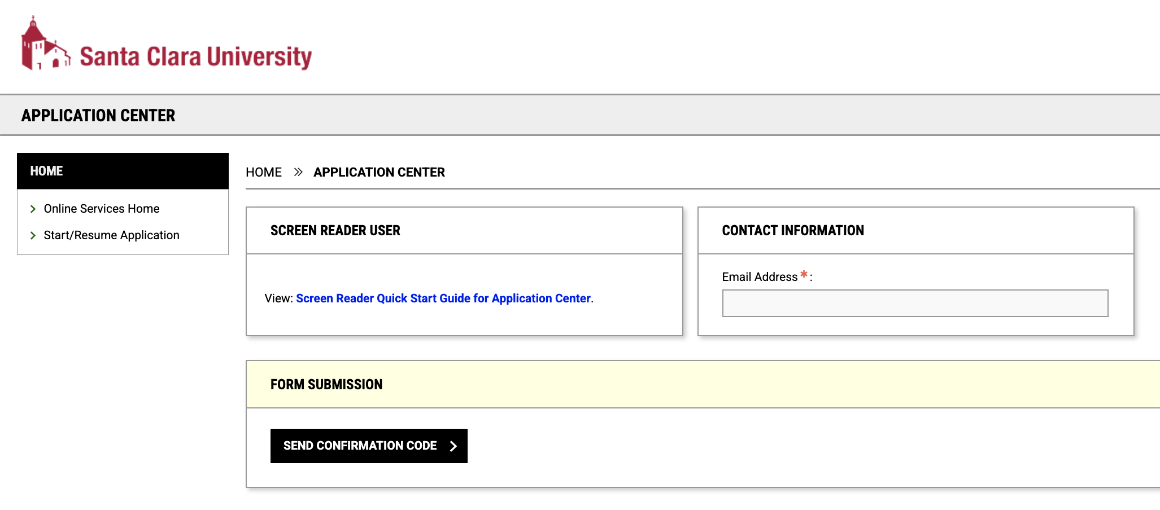
Step 1: Log in to the OAE Portal at https://york.accessiblelearning.com/s-SCU/Start.aspx. Please be sure that you are using your email that you signed up with at the time.
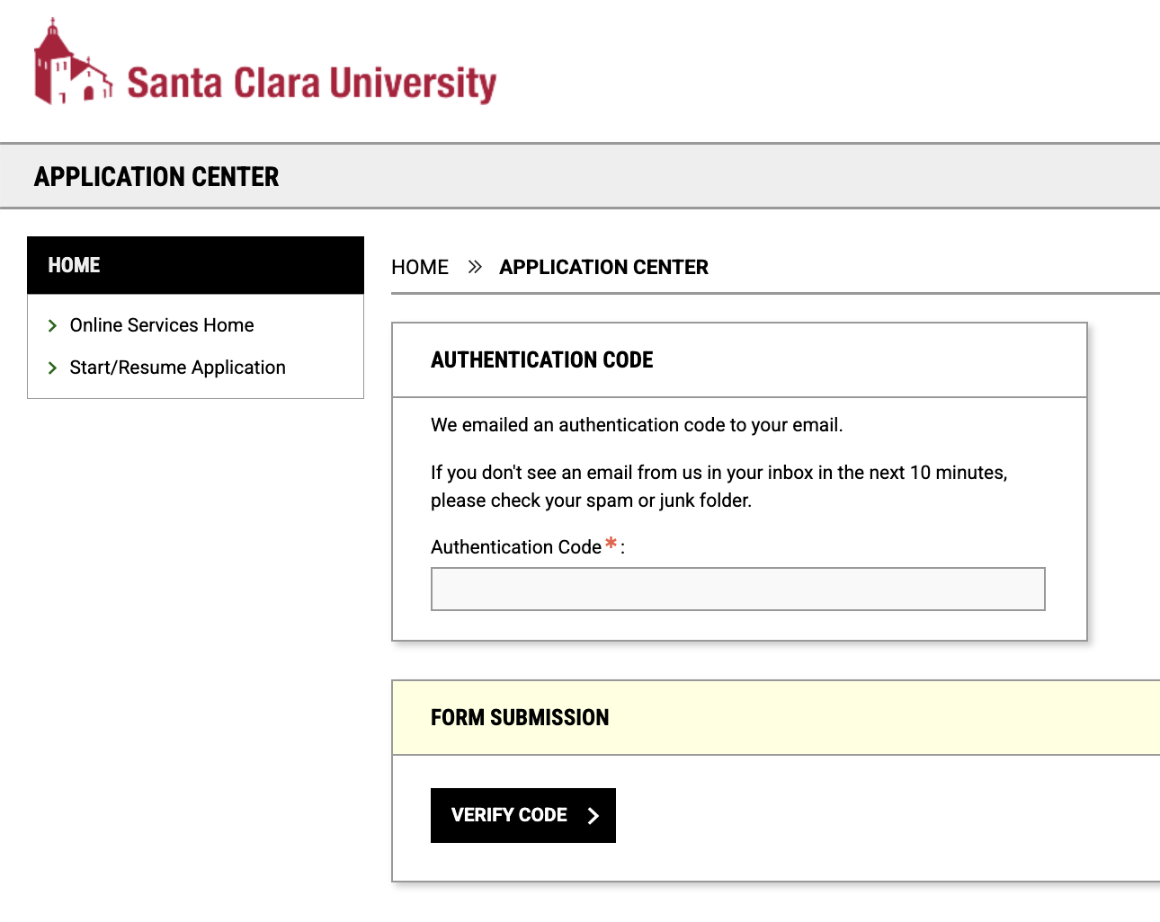
Step 2: Once you have entered your email, an authentication code will be sent to your email. Please enter this code into the box.
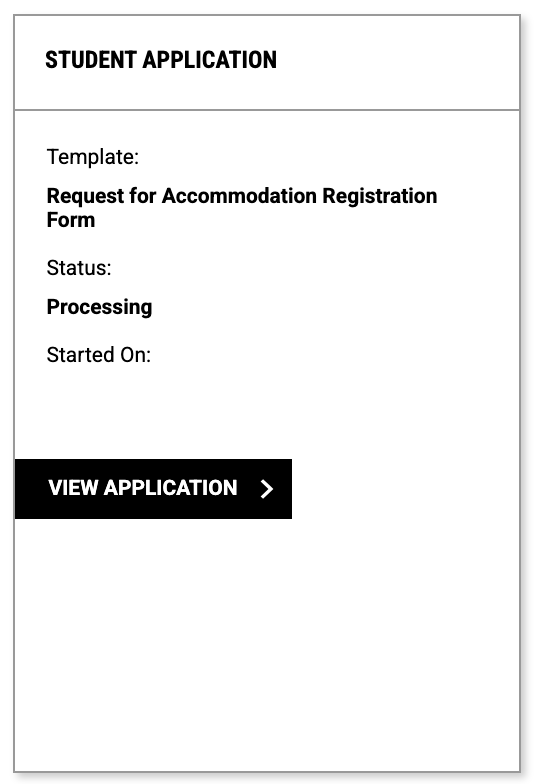
Step 3: Once you have successfully logged in, please click the "View Application" button to view your application.
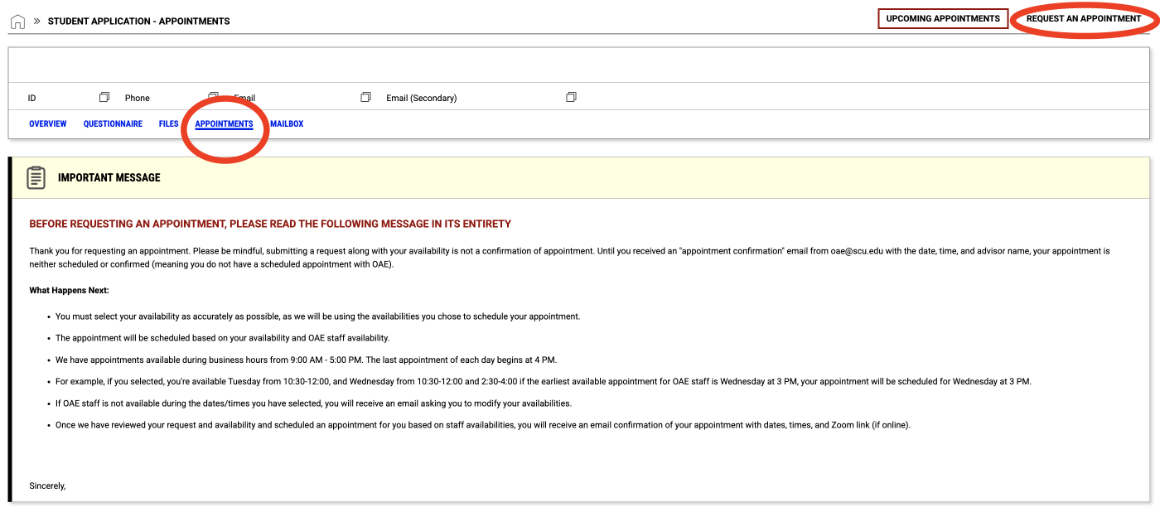
Step 4: Once in your application, navigate to the "Appointments" tab and then select the "Request an Appointment" button at the top right of the screen.
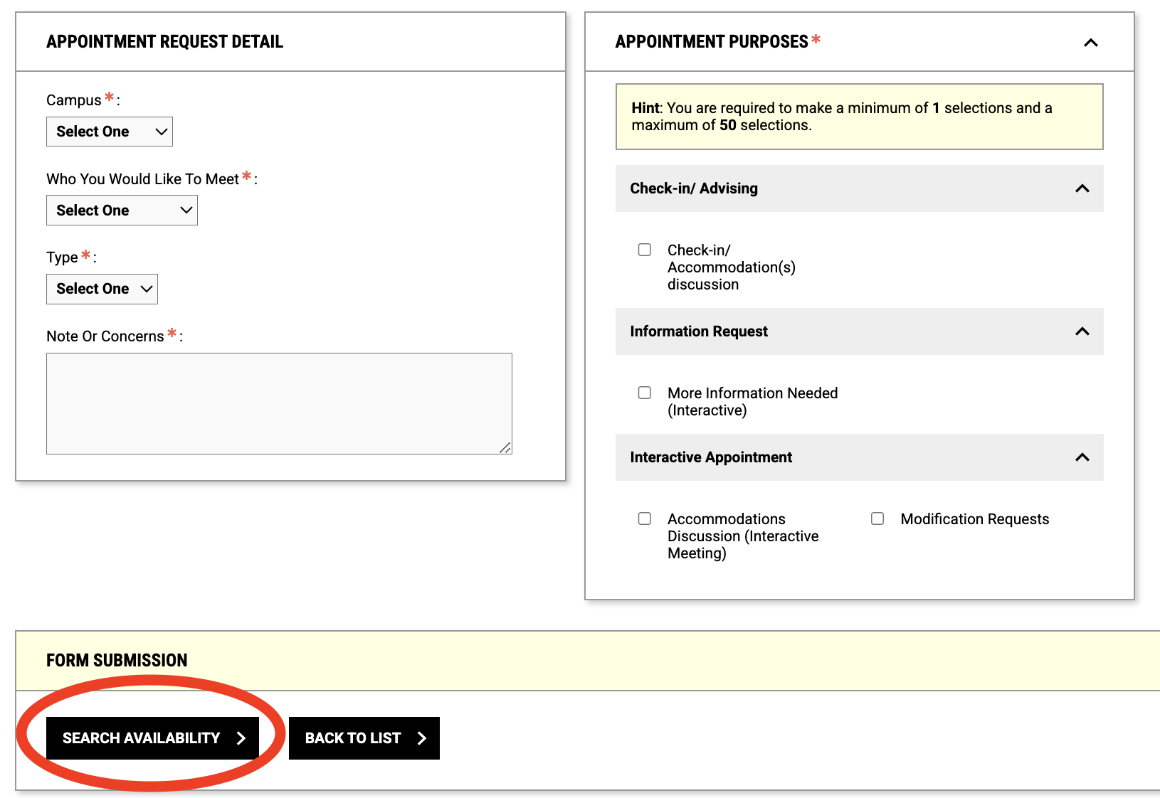
Step 5: You will then fill out the form with your information and select the "Search Availability" button.
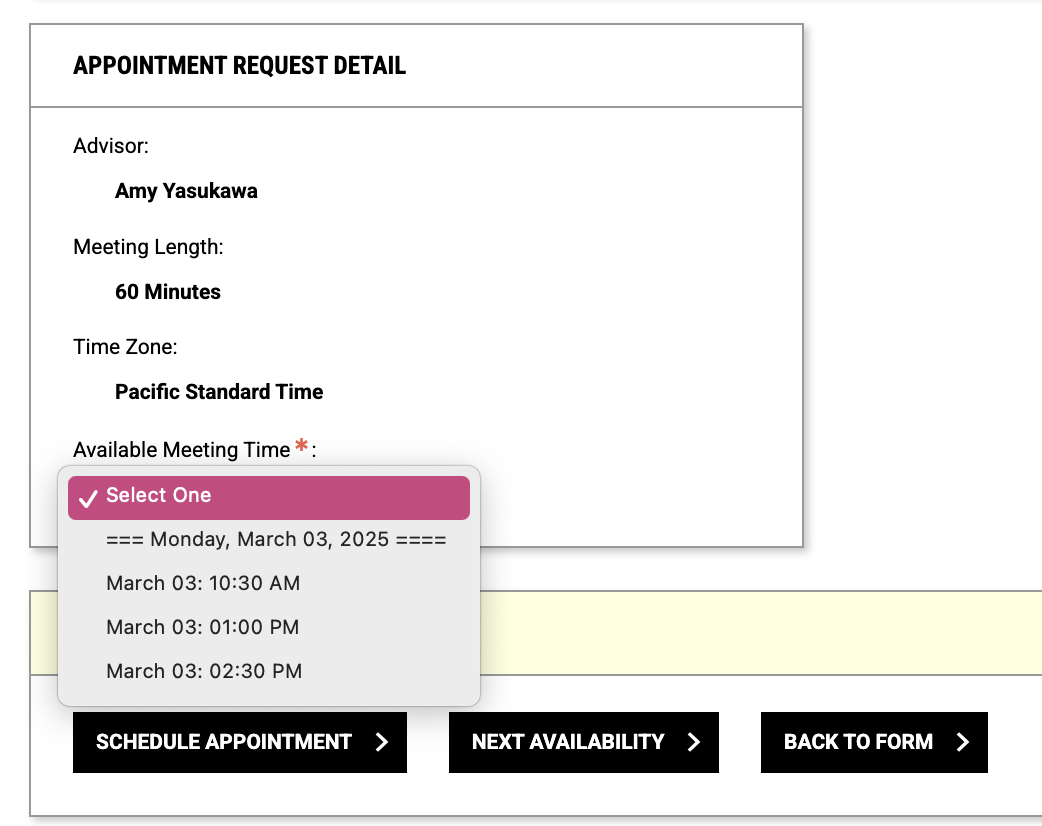
Step 6: Then, you will select a time that works for you, and select the "Schedule Appointment" button. If there are none available, you will select the "Next Availability" button to search the next week.
If you are already registered with our office
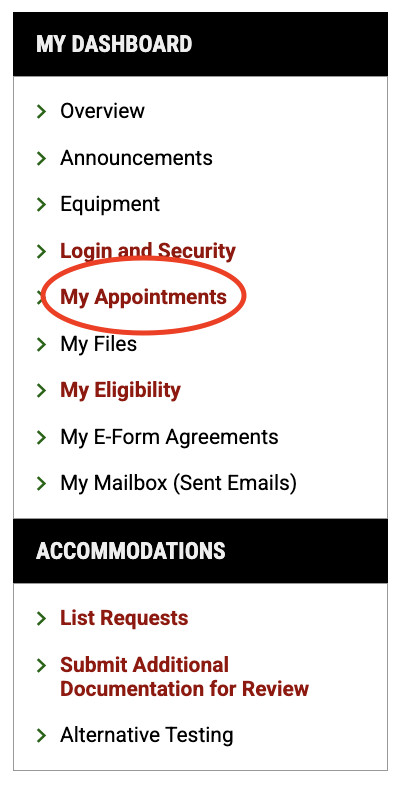
Step 1: Log into the OAE Portal and click "My Appointments" on the left side.
Step 2: Click the "Request an Appointment" button in the top right of your portal to schedule a time to meet with an OAE advisor.